
BEAT81 x Gympass
You've made your first booking, now we just need a bit more information to prepare your workout!
To monitor your progress
Aggregators like Gympass handle the booking; we handle the rest.
So that we can give you the most accurate results possible. we need biometric data like your height & weight to calculate metrics like you maximum heart rate.
Then you can also access your personalized workout stats to see exactly how much stronger you’re becoming.
So that we can give you the most accurate results possible. we need biometric data like your height & weight to calculate metrics like you maximum heart rate.
Then you can also access your personalized workout stats to see exactly how much stronger you’re becoming.
To check-in
The app is required to allow you to check in quickly and easily at any of our locations.
It also makes the check in process quicker & easier by allowing to set up a heart rate sensor for you before you arrive.
It’s the only way we can get you into the system and ready to move.
It also makes the check in process quicker & easier by allowing to set up a heart rate sensor for you before you arrive.
It’s the only way we can get you into the system and ready to move.
To be notified of changes to your booking
As much as we can try to avoid it, life happens.
If there’s a sudden change in coach, a location shift, or a schedule update, with the app we cna notify you instantly.
This isn't possible to reliably through aggregators so a BEAT81 account ensures you're never left wondering where the workout went.
If there’s a sudden change in coach, a location shift, or a schedule update, with the app we cna notify you instantly.
This isn't possible to reliably through aggregators so a BEAT81 account ensures you're never left wondering where the workout went.

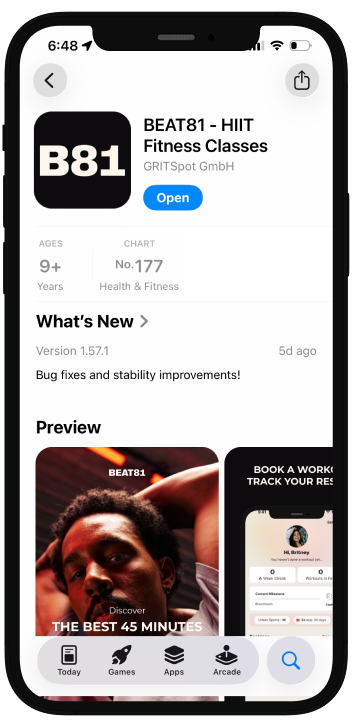
02
Link the app to your Gympass acount
In the Gympass app, go to:
Profile ➜ Settings ➜ My Membership to get your Customer ID.
Then follow the instructions below to enter your Wellhub ID when prompted to link your account to your BEAT81 account.
Profile ➜ Settings ➜ My Membership to get your Customer ID.
Then follow the instructions below to enter your Wellhub ID when prompted to link your account to your BEAT81 account.
01
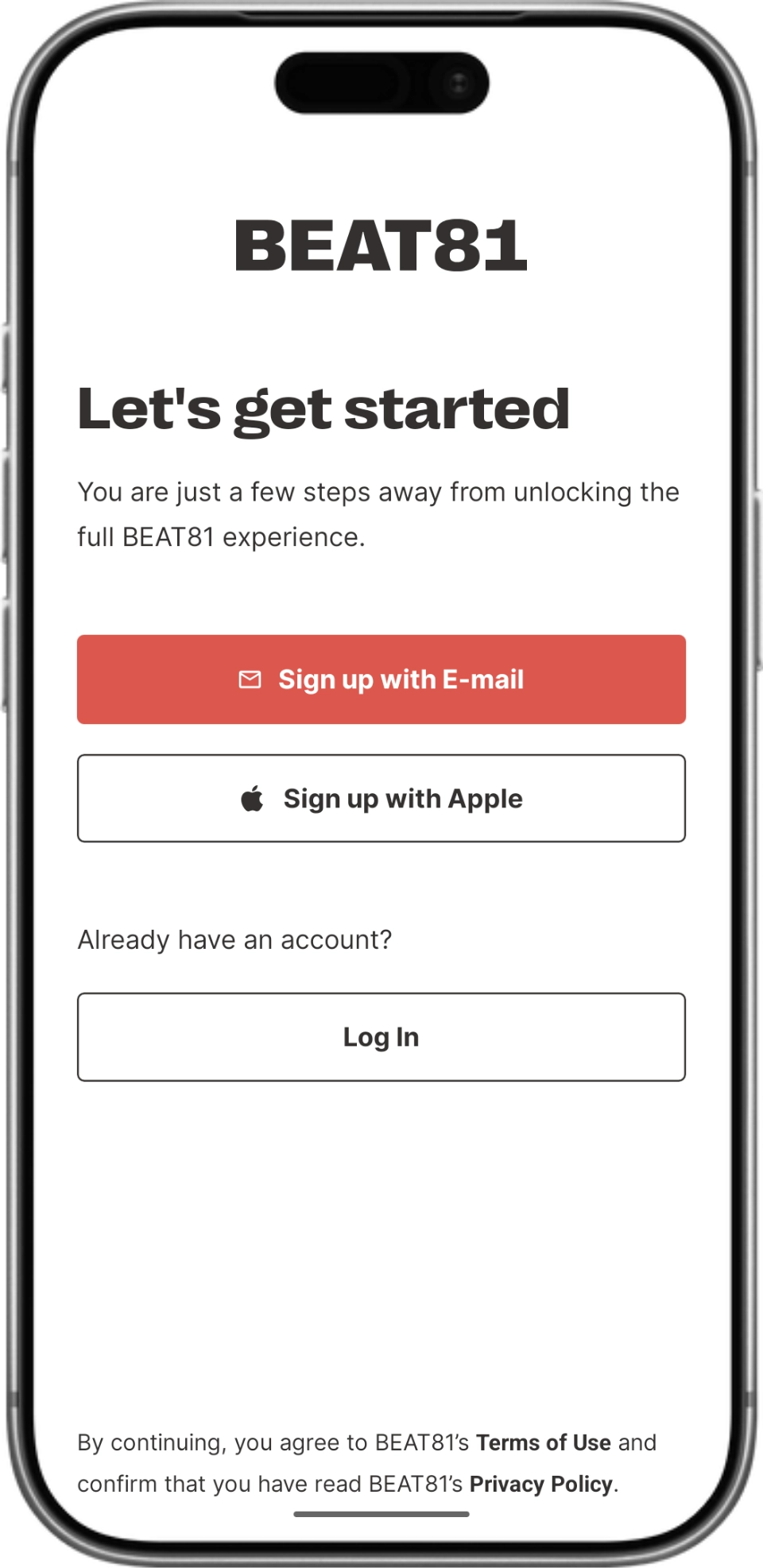
02
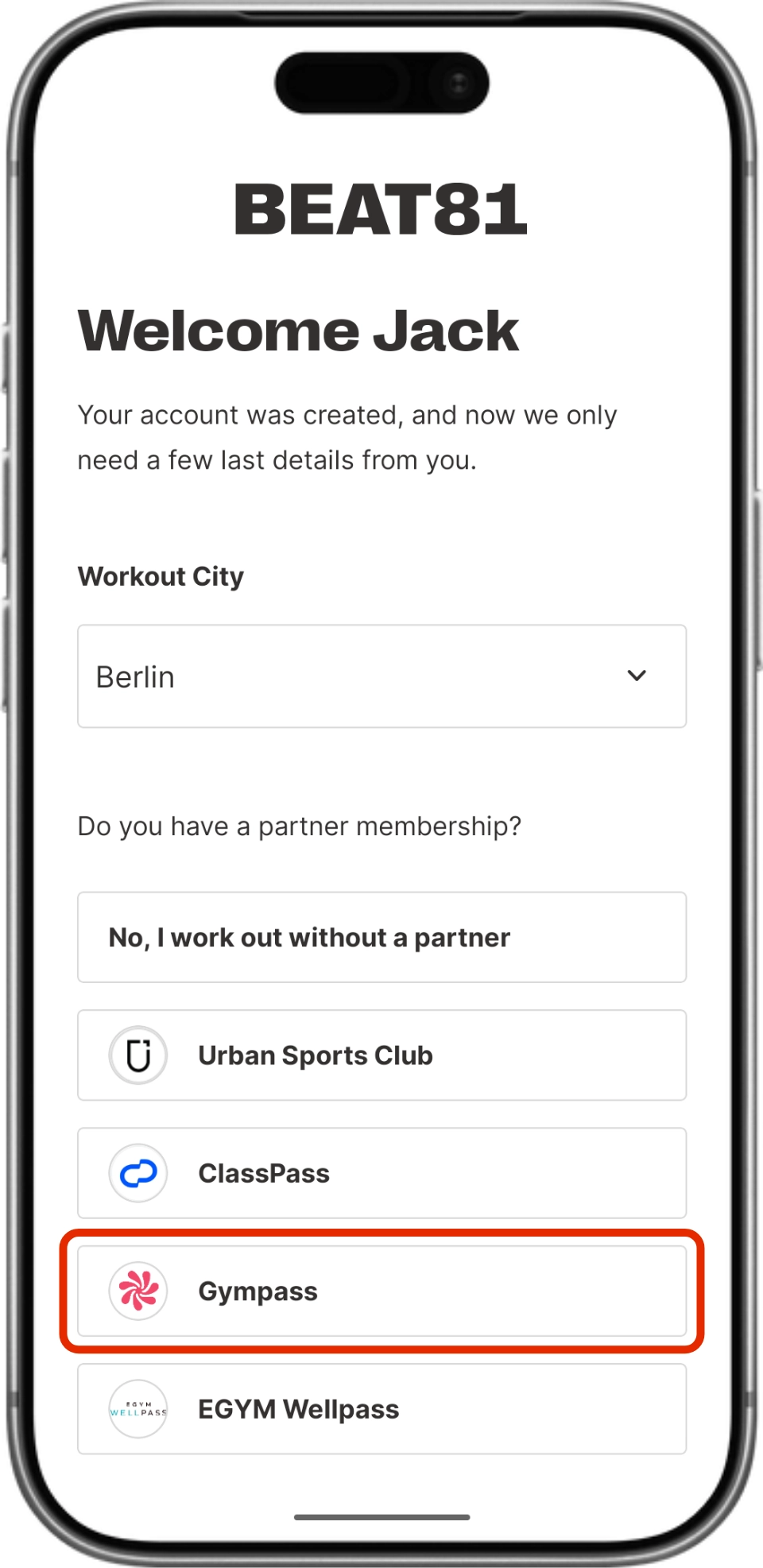
03
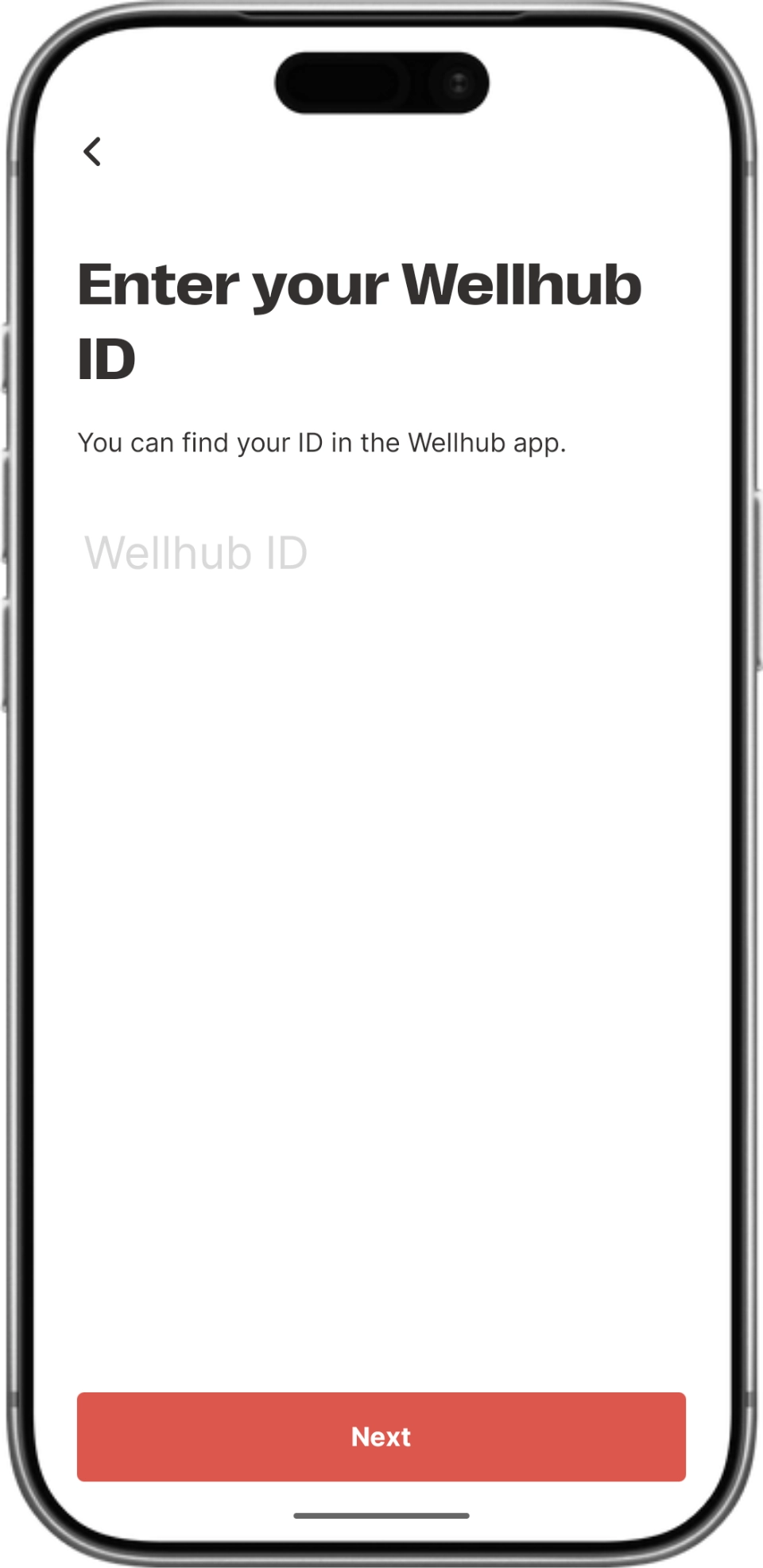
03
Set up your BEAT81 account
Our workouts use heart-rate measuring technology to help guide you throughout exercises, intense pushes, and recoveries. Your coach will guide you as you move through zones, reaching 81% and beyond.
Therefore we need your health details for accurate results! Just sign up and go through the flow. We require your biological sex, height & age, etc. to calculate your maximum heart rate.
Therefore we need your health details for accurate results! Just sign up and go through the flow. We require your biological sex, height & age, etc. to calculate your maximum heart rate.
Get ready for your first workout
Not sure what to expect? Check out our first-timers page below.